Price
$15/month or $144/year
$29/month, so you pay almost double OnMic for a podcast camera cutter
$178.8/year for the AI plan that includes podcast editing; the cheaper Basic plan is not the comparable podcast plan
Premiere Pro podcast editing
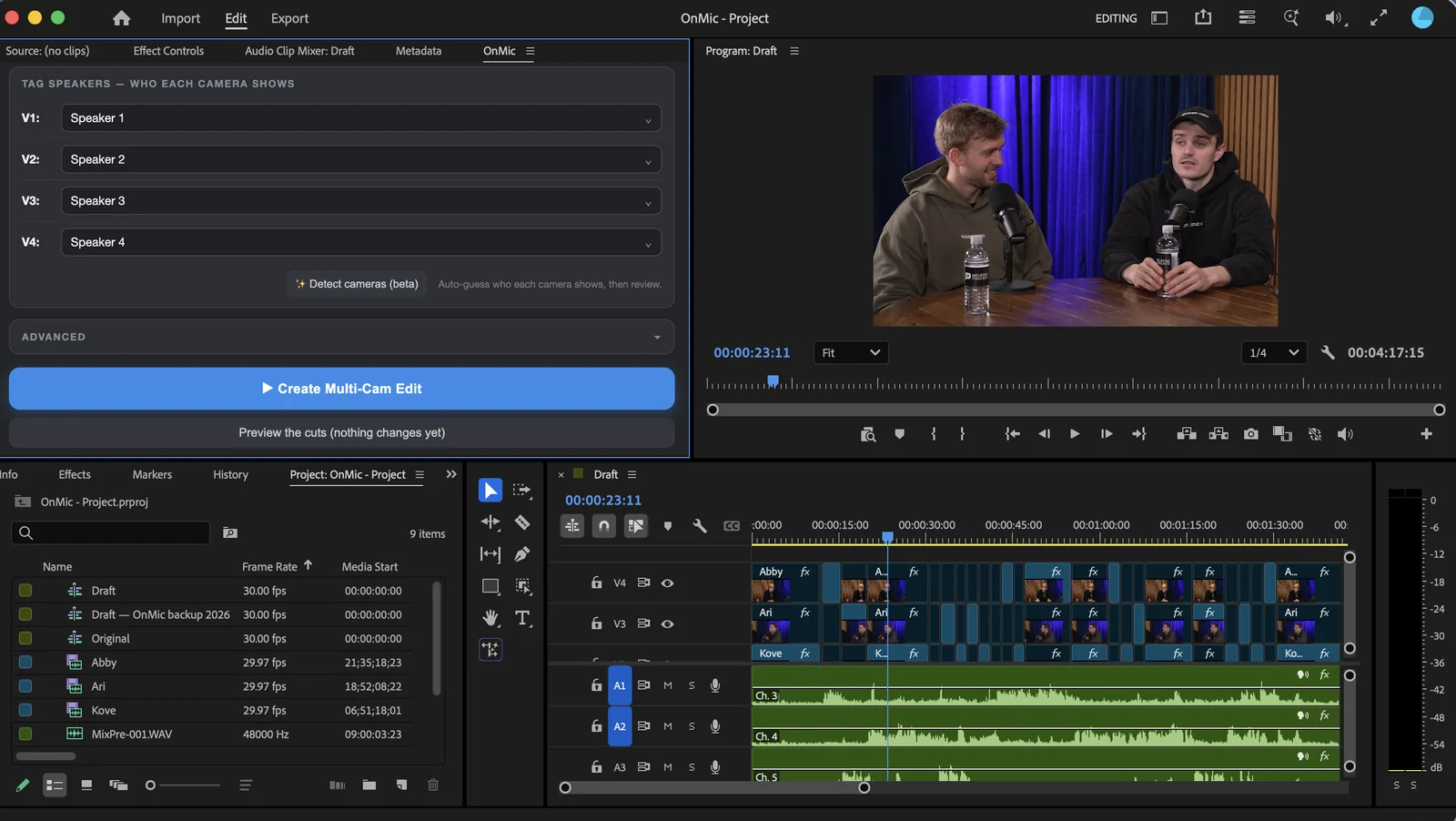
For podcast multi-cam, AutoPod costs almost twice as much monthly for a bundle padded with tools most Premiere editors do not need. AutoCut is a broad pop-out-style AI suite. OnMic is the cleaner Premiere-first panel built for the actual job: listen to each speaker's mic, pick the right camera, preview the result, and create editable cuts.
AutoPod asks you to pay more for extras. AutoCut asks you to work inside a broader, less focused AI suite. OnMic gives podcast editors the better deal: the right tools, a cleaner Premiere workflow, and a lower price.
| Decision point | OnMic advantage | Why AutoPod loses | Why AutoCut loses |
|---|---|---|---|
| Price | $15/month or $144/year | $29/month, so you pay almost double OnMic for a podcast camera cutter | $178.8/year for the AI plan that includes podcast editing; the cheaper Basic plan is not the comparable podcast plan |
| Podcast editing value | The core podcast job is the product: speaker mics, camera mapping, preview, editable timeline cuts, reaction shots, wide shots, dead-air trim, saved profiles, and sequence checks | The bundle adds Social Clip and Jump Cut panels, but those extras do not make the podcast multi-cam cut better enough to justify the higher price | Podcast editing is one feature inside a broad AI toolkit, which makes the product feel less purpose-built for this job |
| Premiere workflow | Clean, focused Premiere panel for podcast cutting | More tools and panels to bounce between than a podcast editor should need | A pop-out / broad-suite workflow that feels less native and less clean than a focused Premiere panel |
| Feature bloat | You pay for the actual podcast edit, not filler | Charges for extra panels that overlap with normal Premiere workflows | Sells tools like captions, silence cleanup, zooms, resize, and Resolve-facing features that many editors already get from modern editing apps |
| Best fit | Podcast editors and studios who want the fastest clean multi-cam cut | Hard to recommend unless someone is already locked into AutoPod | Hard to recommend if the main job is podcast camera switching in Premiere |
| Studio/team value | Included for up to 3 people on paid WhereToPodcast studio plans | Separate subscription cost for each person | Separate subscription cost for each person |
| Privacy | Audio and video stay on your computer while OnMic analyzes and cuts | Does not beat OnMic on the local-editing story | Does not beat OnMic on the local-editing story |
$15/month or $144/year
$29/month, so you pay almost double OnMic for a podcast camera cutter
$178.8/year for the AI plan that includes podcast editing; the cheaper Basic plan is not the comparable podcast plan
The core podcast job is the product: speaker mics, camera mapping, preview, editable timeline cuts, reaction shots, wide shots, dead-air trim, saved profiles, and sequence checks
The bundle adds Social Clip and Jump Cut panels, but those extras do not make the podcast multi-cam cut better enough to justify the higher price
Podcast editing is one feature inside a broad AI toolkit, which makes the product feel less purpose-built for this job
Clean, focused Premiere panel for podcast cutting
More tools and panels to bounce between than a podcast editor should need
A pop-out / broad-suite workflow that feels less native and less clean than a focused Premiere panel
You pay for the actual podcast edit, not filler
Charges for extra panels that overlap with normal Premiere workflows
Sells tools like captions, silence cleanup, zooms, resize, and Resolve-facing features that many editors already get from modern editing apps
Podcast editors and studios who want the fastest clean multi-cam cut
Hard to recommend unless someone is already locked into AutoPod
Hard to recommend if the main job is podcast camera switching in Premiere
Included for up to 3 people on paid WhereToPodcast studio plans
Separate subscription cost for each person
Audio and video stay on your computer while OnMic analyzes and cuts
Does not beat OnMic on the local-editing story
Competitor prices and features are summarized from their public product and pricing pages as of June 2026. This page compares what matters for podcast multi-camera editing, not long lists of unrelated add-ons.
For podcast multi-cam, AutoPod's extra panels do not justify nearly double OnMic's monthly price. Premiere editors can already handle many of those side jobs without paying more for the bundle.
AutoCut tries to be a broad AI editing suite. For a Premiere podcast edit, that means a less focused interface around the thing you actually came to do.
Many Resolve and Premiere workflows already include modern editing helpers. OnMic focuses on the harder podcast-specific problem: who is speaking, and which camera should show.
It is cheaper than AutoPod, cleaner than AutoCut, local, and built around the exact multi-cam podcast cut you need.
Download OnMic