
OnMic
Audio-driven multi-camera editing, right inside Premiere Pro. OnMic listens to each speaker's mic, figures out who's talking, and cuts between your cameras automatically — non-destructively.
Windows installer blocked? Download the ZIP fallback.
Install first, then sign in inside Premiere to start your free trial. No credit card required. After 14 days, keep OnMic monthly or annually — cancel anytime. Each account can activate OnMic on up to 2 computers. Already a WhereToPodcast Premium member? OnMic is included free — see below.
For podcasters & editors
Use OnMic on its own monthly or annually after a free 14-day trial. No studio listing required — just a WhereToPodcast account.
Included with Premium
Own a studio on a Premium or Premium Plus plan? OnMic is included free for up to 3 people per paid studio — no separate subscription. Each person's account can activate up to 2 computers. See studio plans →
See it in action
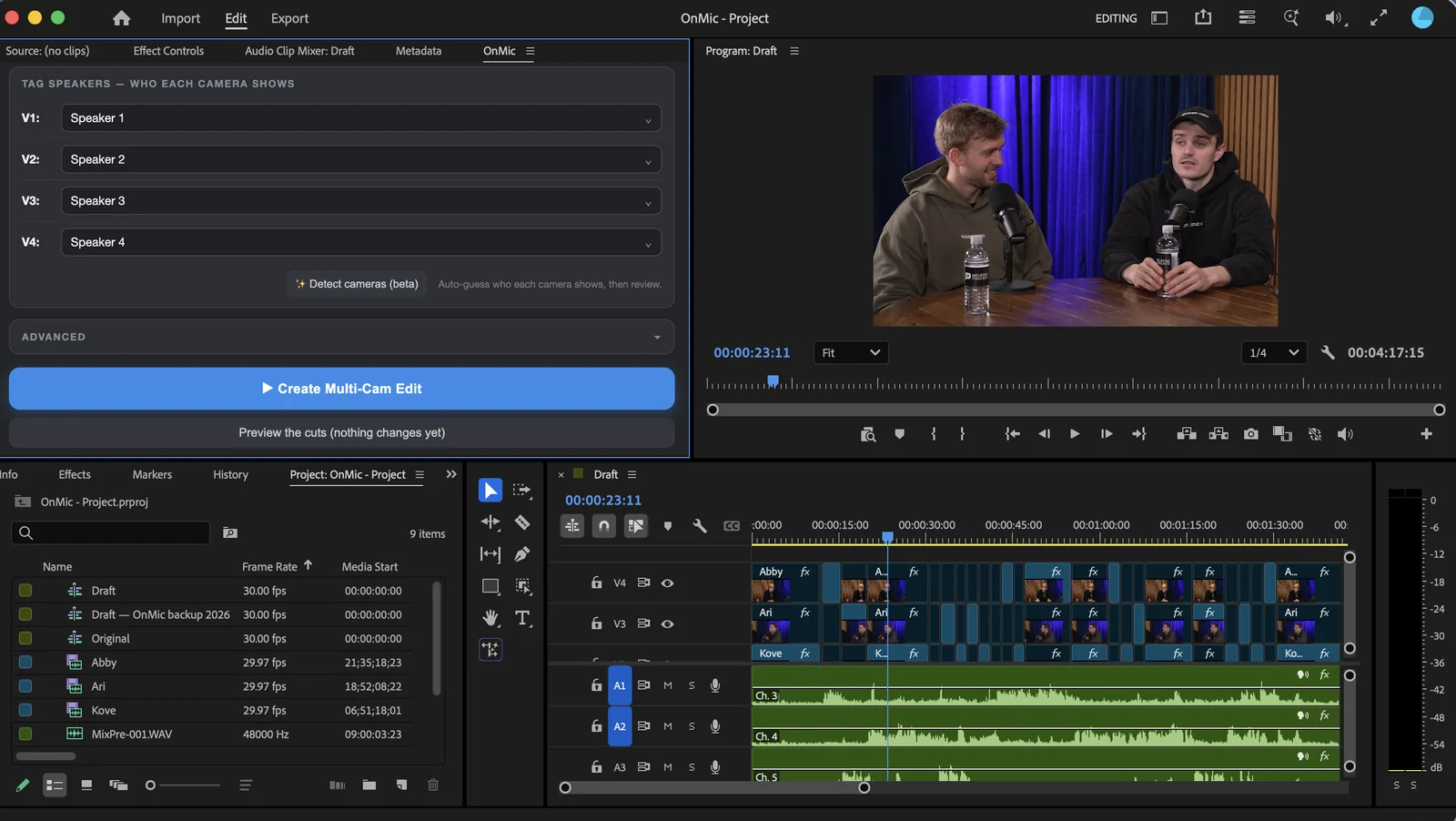
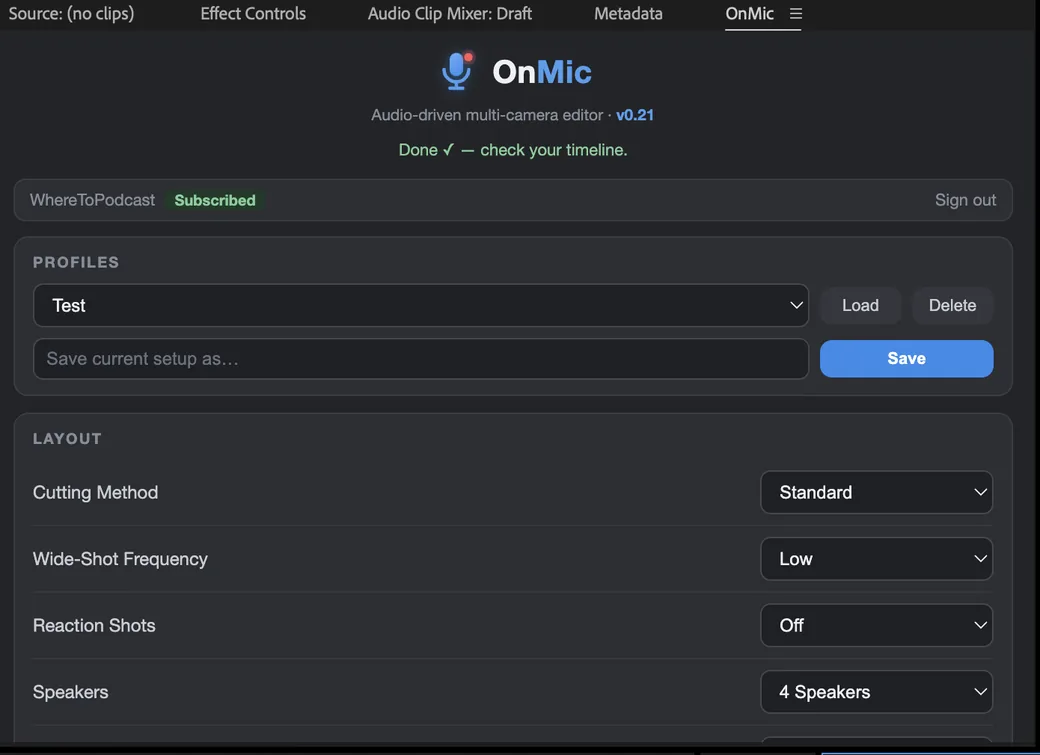
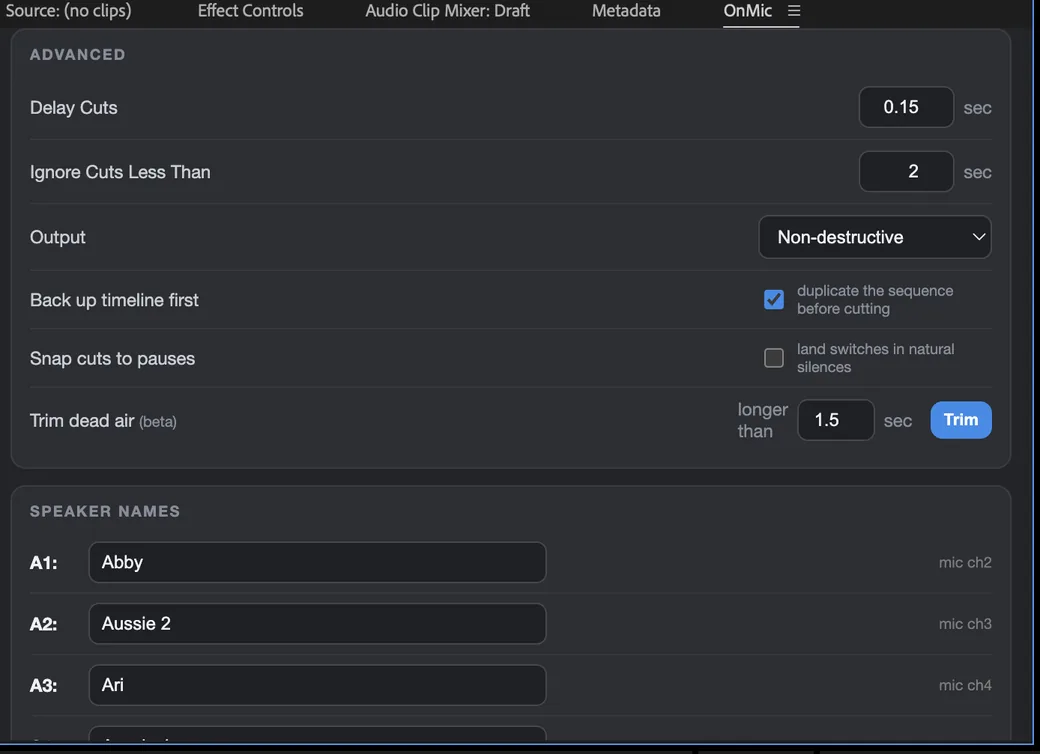
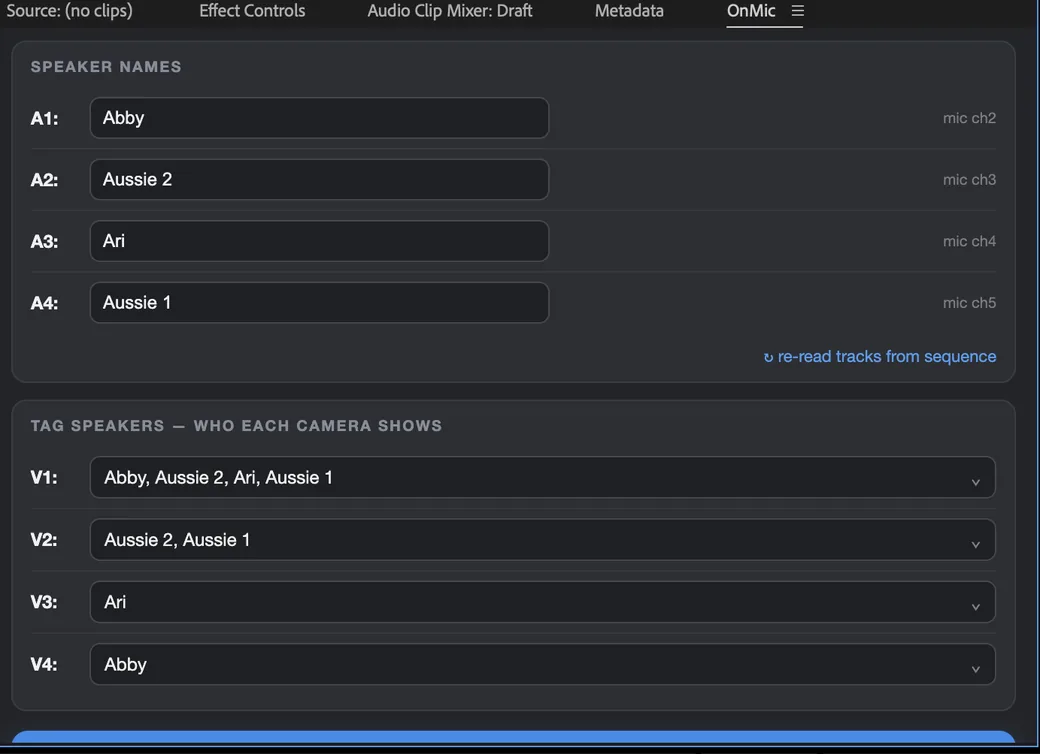
Automatic camera switching
Each isolated mic drives the cut. The speaker who's talking is on screen — no manual multicam pass.
Real AI voice detection
A built-in silero voice-activity model handles overlaps, cross-talk, and quiet mics. No Python, no cloud upload.
Non-destructive
OnMic backs up your sequence first, then sets cuts you can tweak or undo. Your audio is never touched.
Your settings, saved
Cutting pace, wide-shot frequency, speaker/camera mapping — save profiles and reuse them every episode.
Frequently asked questions
What is OnMic?
OnMic is an audio-driven multi-camera editor that runs right inside Adobe Premiere Pro. Point it at your synced multicam podcast sequence and it cuts to whoever is speaking — automatically and non-destructively — so you skip the manual multicam pass.
How does OnMic decide when to cut?
It listens to each speaker's isolated microphone and uses a built-in AI voice-detection model to tell who is actually talking — ignoring laughs, breaths, and mic bleed — then switches to that speaker's camera. You control the cutting pace, how far ahead of a new speaker it cuts, and how often it sprinkles in wide shots.
What do I need to use it?
Adobe Premiere Pro on Mac or Windows, and a synced multicam sequence: each camera on its own stacked video track, and each speaker as isolated WAV mic audio on their own audio track or channel. The panel supports 2 to 12 speakers and cameras. Then you name your speakers, tag which camera shows whom, and hit preview.
Does it work with a single mic or just one camera?
No. OnMic switches between cameras based on each speaker's separate microphone, so it needs at least two cameras and an isolated mic for every speaker. A single shared mic doesn't give it enough to decide who should be on screen.
Is my audio or video uploaded anywhere?
No. Everything — including the AI voice detection — runs locally inside the Premiere panel on your own machine. Nothing is uploaded to the cloud, and there's no Python or extra software to install.
Is it non-destructive?
Yes. OnMic backs up your sequence first, then lays the camera switches onto your timeline. Your source clips and audio are never modified, and you can tweak or undo any cut by hand afterward.
Does it work on Mac and Windows?
Both. There's a Mac installer and a Windows download, and the same WhereToPodcast account works on either. Each account can activate up to 2 computers. Premium plans include OnMic for up to 3 people per paid studio across any mix of Macs and PCs.
How much does it cost, and is there a free trial?
OnMic is available monthly or annually on its own, after a free 14-day trial — no credit card to start. If you own a studio on a WhereToPodcast Premium or Premium Plus plan, OnMic is included free for up to 3 people per paid studio at no extra charge.
How do I install it and sign in?
Download OnMic for your platform from this page, then fully quit and reopen Premiere Pro. Open Window → Extensions → OnMic, drag the tab into your workspace to dock it, and click Sign in with your WhereToPodcast account — your access (trial, subscription, or Premium) is detected automatically.
Can I cancel anytime?
Yes. Monthly and annual plans can be canceled whenever you like, and you keep access through the end of your current billing period. We do not issue prorated refunds for partial billing periods.
How does OnMic compare with other podcast editing tools?
If you're already comparing Premiere Pro podcast editors, see our OnMic vs AutoPod vs AutoCut comparison. Short version: OnMic is built for audio-driven multi-camera podcast cuts, with a focused workflow instead of a broad all-in-one editing suite.
Getting started
- Install the OnMic panel for Premiere Pro (Mac or Windows).
- In Premiere, open Window → Extensions → OnMic and click Sign in.
- Sign in with your WhereToPodcast account — your access (trial, plan, or Premium) is detected automatically.
Latest version: v1.22 · What’s new / changelog
Adobe and Premiere Pro are trademarks of Adobe Inc. OnMic is an independent product and is not affiliated with, endorsed by, or sponsored by Adobe.